Trieste — a project manager and IDE for working with agents · macOS / Windows / Linux
Show agents what you're looking at with a click: code, documentation, notes, a PDF, or the site you're building. Keep all your conversations in view as you work. When something needs your attention, choose how to review it: read the conversation, check the docs, or open the code.
30-day trial · no credit card · no account
01 · REFERENCES
Middle-click the passage you want to share. Trieste adds the path:lines reference and quoted text to your draft message. Then add your instructions.
This works with a line of code, a file in the tree, a search result, a passage in a PDF, a spreadsheet cell, a line in the terminal, an excerpt from another agent's conversation, or a note in the graph.
It also works on the site you're building: middle-click an element on the page to share a reference to its source code. No need to copy file paths or line numbers, or switch between windows. For projects using a tool such as Vite, linking page elements to source code requires the plugin described in Trieste's help.
41function drainQueue(jobs) {
42  // drain finished jobs, re-arm the watcher
43  const next = jobs.filter(j => j.state !== 'done');
44  if (next.length > 0) schedule(next, 250);
45  return next.length;
46}
middle-click → src/queue.js:43-44 → agent 3 · message
A stylized illustration using Trieste's Mariana theme colors.
02 · TRACK YOUR AGENTS
Each project has its own row of conversations. Visual cues show you what each agent is doing without interrupting your reading.
Each dot represents a conversation, with its own color and the first few letters of its title. A small status mark is orange while the agent works, blue when it's waiting for your reply, green when a result is unread, and red when an error occurs. The arc around the dot is a countdown timer. You can adjust its duration, for example to match the provider's cache lifetime. The dot fills from the bottom to show context usage relative to your chosen display threshold. This setting doesn't limit the agent's context.
Open, close, or restart a conversation in moments. Click + to create a new one. “Start fresh” lets you begin again while keeping the dot's color and position, the agent, and its settings. Messages sent while an agent is working are queued.
Try the app's controls in this demo: hover over a dot, click to select it, click and hold to adjust its color, drag to reorder, or click + to add a conversation. In Trieste, this bar sits below each project's file tree.
03 · CHOOSE YOUR AGENTS
Trieste uses your locally installed command-line tools (CLIs): Claude Code, Codex, OpenCode, and Antigravity. Responses appear as they arrive. You receive the tools' own permission prompts, and you can interrupt an agent or resume a conversation.
Use the agent composer to define each profile: its command-line tool, its settings, and the menus available at the bottom of its conversations. Those menus let you change the model, reasoning level, or permissions for one conversation without affecting the others. Your accounts, keys, and tool-specific settings stay with each CLI.
Trieste keeps an archive of all conversations started in the app. You can search their contents and pick up a conversation where you left off. Closing a conversation doesn't erase the agent's work.
04 · REVIEW THE WORK
For routine tasks, review the conversation. For structural changes, check the documentation and notes graph. For security or performance work, or when errors could be costly, inspect the code.
Click the eye icon to turn on automatic file display. Every file an agent edits then opens in a green tab with its recent changes already highlighted. In the file tree, files and folders are colored according to the proportion of lines changed since the last commit. You can see which parts of the project the agents have worked on.
You can point an agent to a passage at any time. Through the built-in MCP server, an agent can also open a file in a purple tab and highlight the lines it wants you to see. You and the agent can both point to the exact passage you're discussing.
Enable the built-in browser to open web pages in Trieste. Use the lock on each Internet tab to choose what agents can do: no access, read-only access, or permission to read and interact with the page.
Read your conversations, send or dictate a message, and respond to permission prompts from your phone. It connects directly to your computer over your local network or through Tailscale.
Dictation runs on your computer using whisper.cpp. The model stays loaded in memory, no API key is needed, and audio is processed on your machine.
Each project has its own terminal. Run your build commands from the 🔨 menu, each in its own tab.
Tree-sitter provides syntax highlighting for about 55 languages. The editor, Markdown content, and agent conversations share the same color palette, making it easier to read and review agents' work.
Read GitHub-style Markdown with KaTeX for formulas, as well as PDFs, spreadsheets, and SQLite databases. Edit Markdown directly in the reading view.
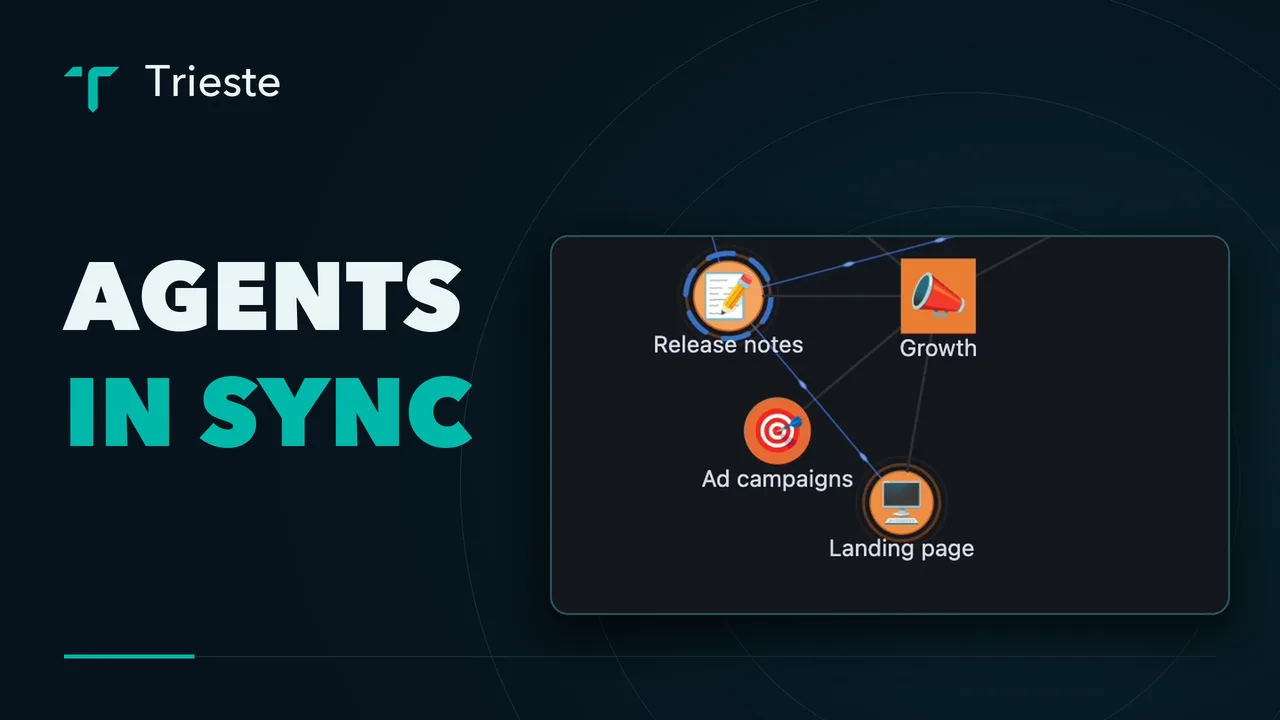
View your Markdown files in a graph, with tags, filters, and saved selections. You can show an agent a note directly from the graph.
Available for macOS, Windows, and Linux.
The interface ships in English, French, and Spanish.
THE INTERFACE
When several agents are working at once, color helps you keep track.
Each project and agent has its own color, and emojis help you find your way around the interface. Initials, shapes, or animations complement the colors, so color is never the only cue.
A look at Trieste's visual cues: colors identify projects, agents, and conversation status; emojis help you quickly find elements in the interface.
A way to work
You don't need a worktree for every agent. Trieste lets you choose the setup that fits each task.
Several agents can work in the same project when their tasks are independent: a feature in one module, documentation in another, or an audit that doesn't change any files. You can track changes in one place without merging each agent's work for every small task.
If changes might overlap, affect the architecture, or need extra care, right-click to create a Git worktree: a separate working directory that appears as its own project in Trieste. It has its own agents and the same reading and review tools. Once the changes are committed, another right-click lets you merge them back into the original project and close the worktree.
You decide how to organize your development work. Trieste can schedule agent work and run the build commands you've configured. You're responsible for dividing up tasks, choosing branches, and resolving conflicts. The app lets you follow agents' work, whether they're sharing a project or working separately.
If you're working with eight agents at once, you need to know what each one is doing.
That's why Trieste focuses on presenting information clearly. Working with multiple agents only helps if you can see what changed, spot what needs your attention, and find the conversation where a decision was made.
Bring your own agents — Trieste works with the local CLIs you already have (claude, codex, opencode, agy).
Trieste may also work on other OS versions and Linux distributions. Try it free for 30 days to make sure it works on your machine before you buy.
Your license covers versions released up to one year after your payment. If you install a version released later, Trieste runs in read-only mode until you renew your license. Keep the installers for any versions you may want to reinstall.
No account to create. The app doesn't send your work to our servers.
No account. No password. No sign-up. No GitHub sign-in. Trieste doesn't collect data on how you use the app. Your files, projects, and conversations aren't sent to the license servers. Agents communicate directly with their providers, so the content you share with them may be sent to those providers under their privacy policies. Trieste keeps the information needed for trials, purchases, and license management, including a pseudonymous machine identifier and trial dates, licenses sold, and their activations. Paddle processes payments; Trieste doesn't store any banking information. Connectivity and update checks don't include your projects or conversations with agents. Messages you send to support are handled under the privacy policy.
Trieste
€79
+ tax, calculated at checkout
Pay once, use it forever. One year of updates included.
Optional update renewal: €49 for one year at the current price. The price shown when you renew applies. No automatic charges.
This gift link has already been used or is no longer valid. Contact us at contact@trieste.app.
Buy TriesteEnable JavaScript to buy Trieste